Mako
Local tools, organized.
Mako is a local-first Windows utility hub for finding, creating, reviewing, and running custom file and workflow tools.
Windows MSIX
Overview
Mako helps you organize small utilities into a clean, searchable Windows app. Build a personal library of tools, run actions, drop files or folders onto compatible workflows, and manage each utility through an editable manifest-based package.
Use Mako to install reviewed utilities from community feeds, inspect required dependencies, and keep utility packages versioned and reviewable. You can also create new utilities with AI assistance, stage the generated files before accepting them, and keep snapshots as your tools evolve.
Mako is designed for users who want practical automation without hiding what runs on their machine. Utilities stay local, editable, and transparent.
Highlights
- Search and launch your local utility library
- Drop files or folders onto compatible utilities
- Create and revise utility packages with AI assistance
- Review manifests, permissions, dependencies, and install steps
- Install reviewed utilities from community registry feeds
- Keep utilities editable, versioned, and snapshot-backed
- Manage helper apps, Python packages, install files, and required utility files
Product Images

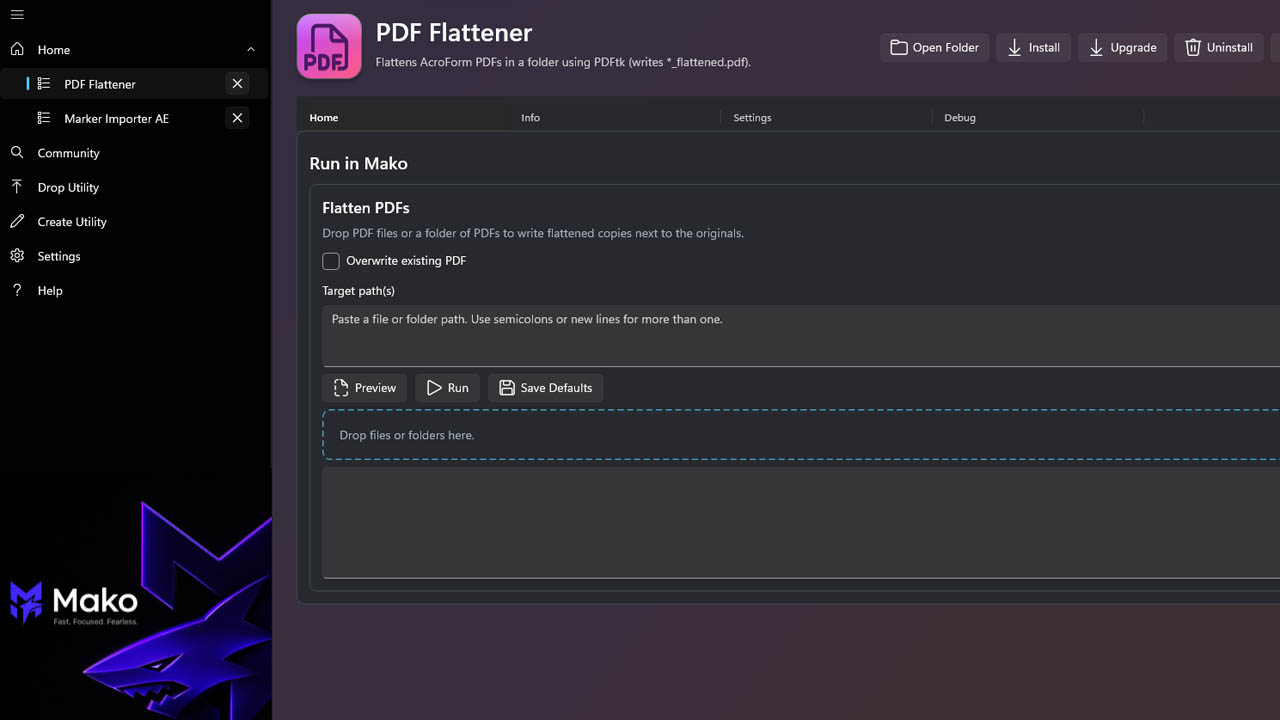
Included Downloads
- MSIX/App Installer Package